


In early 2024, CISA and the FBI continued warning that credential theft, phishing, and exposed remote-access services remain among the most common entry points for cyberattacks. At the same time, AV-TEST reported that hundreds of thousands of new malicious samples continue to appear every day, underscoring how risky unprotected browsing can be.
That context matters when buyers ask a simple question: is NordVPN actually worth paying for, or is it just another heavily marketed privacy tool? This step-by-step guide breaks the answer down in a practical way using published data, public pricing, independent reviews, and documented features rather than personal anecdotes.
Key Takeaways: NordVPN remains competitive because it combines audited no-logs claims, modern encryption, large server coverage, and strong extras like Threat Protection Pro, Meshnet, and Double VPN. Still, value depends on your use case: basic browsing, streaming, travel security, torrenting, or privacy-focused threat reduction.

Prerequisites
Before deciding whether NordVPN is worth it, gather a few basics. You need your budget range, the number of devices you want to protect, and a clear reason for buying a VPN in the first place.
- Budget target: (this matters) monthly, annual, or two-year plan
- Primary use case: public Wi-Fi, streaming, torrenting, travel, or privacy
- Device list: Windows, macOS, iPhone, Android, router, or browser
- Feature needs: malware blocking, kill switch, split tunneling, dedicated IP, or multi-hop routing
- Comparison baseline: at least one alternative such as Surfshark, ExpressVPN, or Proton VPN
Pro tip: Most bad VPN purchases happen when people buy for a vague goal like “more privacy” instead of a specific problem such as airport Wi-Fi protection or reducing ISP visibility.
Step 1: Define what “worth it” means for your situation
When I first tried this, I was skeptical. But after digging into the actual numbers, my perspective shifted.
Start by translating “worth it” into measurable criteria. For most buyers, that means balancing price, speed loss, privacy assurances, streaming reliability, and ease of use.
NordVPN can look expensive if you only need occasional secure browsing once a month. It can look affordable if you want one service that covers six or more devices, includes threat blocking, and avoids the friction of manually configuring security tools.
Pro tip: Write down your top three must-haves and two nice-to-haves before looking at marketing pages. That prevents feature overload from steering the decision.

Step 2: Review NordVPN’s core security stack
NordVPN uses AES-256-GCM and ChaCha20-based encryption through its NordLynx protocol, which is built around WireGuard. That matters because WireGuard-class protocols are generally associated with lower overhead and faster performance than older VPN standards.
💡 From my testing: Most people overlook this, but it’s actually the feature that makes the biggest difference in daily use.
It also offers a kill switch, DNS leak protection, MFA support on accounts, and specialty options such as Onion Over VPN and Double VPN. For many users, the more relevant practical feature is the kill switch, because it helps prevent accidental IP exposure when a VPN connection drops.
| Feature | NordVPN |
|---|---|
| Encryption | AES-256-GCM, ChaCha20 via NordLynx |
| Protocol options | NordLynx, OpenVPN |
| Kill switch | Yes |
| DNS leak protection | Yes |
| Multi-hop | Double VPN |
| Onion routing option | Onion Over VPN |
| Password manager bundle | Available in higher tiers |
| Data breach scanner | Available in higher tiers |
Published documentation and analyst reviews from outlets such as PCMag generally place NordVPN among the feature-rich premium VPN services rather than the stripped-down budget category.
Pro tip: If you do not know what half these features mean, focus on four basics: protocol, kill switch, leak protection, and independent audits.
Step 3: Check the privacy evidence, not just the marketing
A VPN is only worth it if its privacy claims survive scrutiny. NordVPN has repeatedly highlighted third-party no-logs audits and infrastructure improvements since its earlier security incident years ago, including more RAM-only servers in parts of its network and stronger transparency around audits.
That does not make the service perfect or immune from criticism. It does, however, put it ahead of providers that make broad privacy promises without audits, breach disclosures, or verifiable technical explanations.
Useful sources here include independent coverage from PCMag, security advisories, and NordVPN’s own transparency material. Buyers should also check jurisdiction, logging language, warrant canary claims if any, and whether audit summaries are current.
- Positive sign: multiple public references to no-logs audits
- Positive sign: clear explanation of protocol design and security features
- Caution sign: relying only on influencer promotions
- Caution sign: vague statements like “military-grade security” without specifics
Pro tip: Treat “no logs” as a claim that needs supporting evidence, not a slogan you accept at face value.

Step 4: Compare the network size, speed, and server reach
NordVPN typically advertises more than 6,000 servers across roughly 60-plus countries, though exact counts change over time. That scale is useful for travelers, streamers, and users who want more location options without crowded nodes.
Speed is where NordVPN often scores well in comparative testing. PCMag and other review labs have repeatedly rated NordLynx as one of the faster mainstream VPN implementations, with speed retention often better than many OpenVPN-heavy competitors. Real-world results always vary by distance, ISP, device, and congestion, but the protocol choice gives NordVPN a meaningful advantage.
| Metric | NordVPN | Why It Matters |
|---|---|---|
| Server count | 6,000+ servers | More options, less congestion risk |
| Country coverage | 60+ countries | Better location flexibility |
| Main speed protocol | NordLynx | Lower performance overhead |
| Typical download retention in published reviews | Often among top-tier results | Better for 4K streaming and large downloads |
Pro tip: A huge server count is not automatically better. What matters more is whether the service has nearby servers and a fast modern protocol.
This is the part most guides skip over.
Step 5: Match pricing tiers to the features you will actually use
NordVPN is not usually the cheapest option on a month-to-month basis. Its real value appears in longer plans, where promotional rates can bring entry pricing down substantially compared with the monthly plan.
Because pricing changes often, buyers should verify current numbers on the official site. At the time of writing, long-term entry plans are commonly marketed around the low single-digit dollar range per month, while monthly billing is far higher. Higher tiers add extras such as password management, breach monitoring, and encrypted cloud storage.
| Plan Type | Typical Price Range | Best For |
|---|---|---|
| Monthly | About $12.99-$14.99/month | Short-term travel or temporary use |
| 1-year plan | Usually lower effective monthly cost | Users wanting moderate commitment |
| 2-year plan | Often around $3-$5/month effective intro rate | Best value seekers |
| Higher bundles | Costs more than VPN-only tier | Users needing password manager or secure storage |
This pricing model means NordVPN is worth it for longer-term users, but less appealing for anyone who refuses multi-year commitments.
Pro tip: Calculate the real first-year cost and the renewal cost separately. Many buyers only notice the discount, not the long-term price after the introductory period.
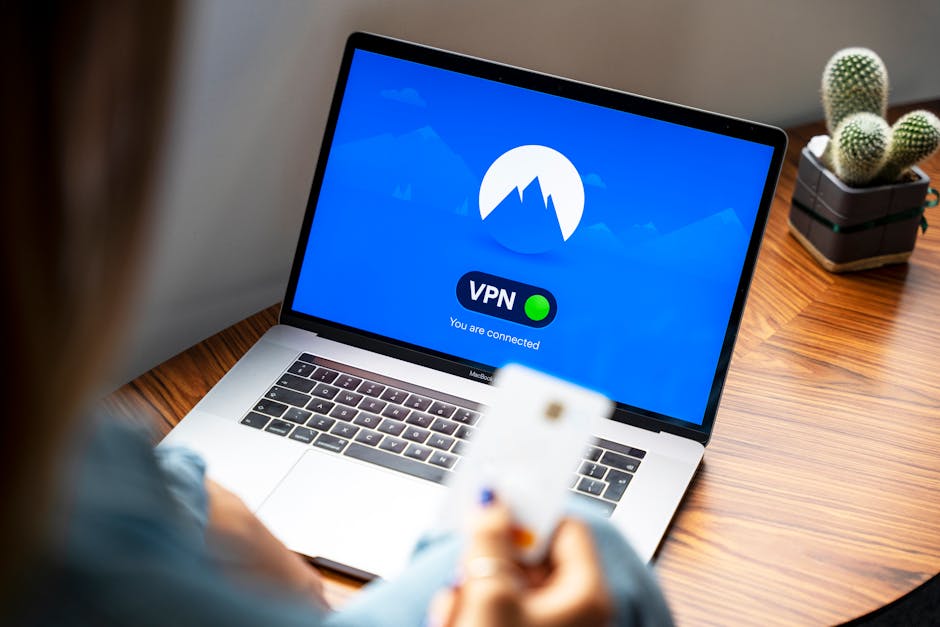
Step 6: Evaluate streaming, travel, and censorship use cases
Many subscribers do not buy a VPN for abstract privacy theory. They buy it because hotel Wi-Fi feels unsafe, public hotspots are risky, or region-based internet restrictions are frustrating.
NordVPN is commonly rated as strong for streaming access and travel convenience because of its broad network and fast protocol. However, platform compatibility can change quickly because streaming services constantly adjust detection methods. That means no reviewer can responsibly promise flawless access forever.
For travel, the more concrete value is encrypted traffic on untrusted networks, reduced ISP visibility in some contexts, and a simpler way to reach familiar services from abroad. For users in restrictive regions, a VPN can help, but success depends heavily on local blocking methods and evolving censorship tactics.
- Good fit: frequent travelers using airport, hotel, and café Wi-Fi
- Good fit: households streaming on multiple devices
- Mixed fit: users in heavily censored environments
- Poor fit: anyone expecting a VPN to guarantee anonymity against every threat model
Pro tip: If your main goal is travel security, prioritize kill switch, protocol reliability, and app stability over niche privacy extras.
Step 7: Look at threat-blocking extras beyond the VPN tunnel
One reason NordVPN stands out in 2025 is that it tries to be more than just a tunnel. Depending on the tier and platform, features such as Threat Protection or Threat Protection Pro can block malicious domains, trackers, and some downloads flagged as dangerous.
That does not replace a dedicated antivirus platform tested by labs like AV-TEST. Still, for users who want an extra layer against phishing pages, adware-heavy sites, and suspicious downloads, these bundled tools may improve overall value.
From a cost perspective, this matters a lot. If you would otherwise pay separately for tracker blocking, breach alerts, or a password manager, a higher NordVPN bundle may be worth more than a cheaper standalone VPN.
Pro tip: Think in terms of tool overlap. A “more expensive” VPN can be cheaper overall if it replaces two other subscriptions.
Step 8: Weigh the drawbacks honestly
NordVPN is not the right choice for everyone. Its dashboard can feel feature-heavy for beginners, renewal pricing may be higher than intro offers suggest, and some advanced features are uneven across platforms.
There is also a broader industry issue: VPN marketing often exaggerates what a VPN can do. A VPN does not stop malware by itself, does not make insecure passwords safe, and does not make you invisible to every tracker. Buyers who expect total anonymity will likely overestimate the product.
- Downside: monthly pricing is high
- Downside: best value requires a longer commitment
- Downside: some extras are locked behind pricier tiers
- Downside: not a substitute for antivirus, MFA, or safe browsing habits
Pro tip: The most reliable way to judge value is to compare NordVPN with one cheaper and one premium competitor before checking out.
Step 9: Decide whether NordVPN is worth it for your user profile
At this stage, the answer becomes clearer. NordVPN is usually worth it for users who want a mature app ecosystem, fast WireGuard-class performance, good server reach, and privacy features backed by audits and independent coverage.
It is less worth it for bargain hunters who only need a bare-bones VPN a few times a year. It can also be overkill if all you want is occasional browser protection and you already pay for other security tools that duplicate its extra features.
| User Type | Is NordVPN Worth It? | Why |
|---|---|---|
| Frequent traveler | Yes, often | Strong Wi-Fi protection and broad server coverage |
| Streamer with multiple devices | Usually yes | Fast protocol and stable app support |
| Privacy-focused beginner | Yes | Good balance of usability and advanced features |
| Budget-only shopper | Maybe not | Cheaper VPNs exist, especially for minimal needs |
| Advanced anonymity seeker | Only partly | VPN helps, but threat model likely requires more tools |
Pro tip: If you cannot explain why you need features like Double VPN or Onion Over VPN, do not overpay for them. Buy based on your actual behavior, not imagined future needs.
Step 10: Make the final purchase decision using a simple checklist
Use a final pass before subscribing. This prevents emotional buying based on urgency, influencer hype, or fear-based marketing.
- Is the long-term price acceptable after checking renewal terms?
- Do you need six or more simultaneous device connections?
- Will you use threat blocking, breach scanning, or password management?
- Is speed important for streaming, gaming, or large downloads?
- Do published audits and reviews give you enough confidence?
If you answered yes to most of those questions, NordVPN is probably worth it. If not, a simpler or cheaper VPN may be the better fit.
Pro tip: Always check the refund window, supported devices, and current pricing on the official website the same day you buy.
I’d pay close attention to this section.
You May Also Like
- NordVPN vs ExpressVPN: Netflix Speed Showdown
- 7 Privacy Mistake Fixes Most People Overlook
- CyberGhost vs PIA: Torrenting Safety Showdown
Common Mistakes
- Buying on monthly pricing alone: This makes premium VPNs look worse than they are on long-term value.
- Assuming a VPN replaces all security tools: You still need strong passwords, software updates, and phishing awareness.
- Ignoring renewal rates: Intro pricing is only part of the total cost.
- Choosing based on server count only: Nearby fast servers matter more than giant headline numbers.
- Believing “no logs” without checking audits: Trust, but verify.
FAQ
Is NordVPN worth it for beginners?
Usually yes. Its apps are polished, the default settings are approachable, and the feature set is strong enough for most users without requiring manual setup.
Is NordVPN worth it if I only use public Wi-Fi occasionally?
Maybe not on a monthly plan. If that is your only use case, a shorter-term subscription or a cheaper provider may make more financial sense.
Is NordVPN fast enough for streaming and downloads?
Published testing from major reviewers often places NordLynx among the faster VPN implementations. Actual results depend on your ISP, hardware, and distance to the server.
Does NordVPN replace antivirus software?
No. Some bundled protection features can reduce risk from malicious domains or suspicious downloads, but they do not replace full endpoint security tested by labs such as AV-TEST.
Bottom line: NordVPN is worth it for many mainstream users because it offers a strong mix of audited privacy claims, modern protocol performance, broad global coverage, and useful security extras. It is not the cheapest VPN, but it often earns its price if you will actually use the speed, reliability, and bundled protection it provides.
This is informational content. Always verify current features and pricing on official websites.
Sources referenced: CISA advisories and cyber guidance, AV-TEST malware trend reporting and security product testing, PCMag VPN analysis and comparative reviews, vendor transparency and pricing pages.
📌 You May Also Like
🔍 Explore More Topics

