
IBM’s Cost of a Data Breach 2024 report put the global average breach cost at $4.88 million, the highest level it has recorded. At the same time, CISA continues to warn that unsecured networks, rogue hotspots, and man-in-the-middle attacks remain practical risks for everyday users. That context matters because millions of people now check balances, approve transfers, and receive one-time passcodes through mobile banking apps on networks they do not fully control.
That is where VPN split tunneling becomes interesting. It is not a magic privacy setting, and it is not automatically safer than forcing all traffic through a VPN. But when configured carefully, split tunneling can help banking apps avoid broken logins, regional fraud triggers, and unnecessary latency while the rest of your device stays protected inside the VPN tunnel.
Key Takeaways: Split tunneling lets you route selected apps outside the VPN while the rest of your traffic stays encrypted. For banking, that can reduce login friction and location-based fraud flags, but it also creates a narrower protection model that only makes sense on trusted devices with strong app hygiene and OS updates.
This article looks at the mechanics, the evidence behind common banking failures on VPNs, and the conditions where split tunneling is either a smart workaround or a bad idea. The goal is not to promote any single provider. It is to explain what the data suggests about risk, usability, and safer configuration choices.
What split tunneling actually does
A standard VPN sends all device traffic through an encrypted tunnel to the VPN server. Split tunneling changes that behavior. Instead of one rule for everything, it creates traffic policies: some apps, websites, or IP ranges use the VPN, while others use the regular internet connection.
Most commercial VPNs implement split tunneling in one of three ways:
- App-based split tunneling: You pick which apps bypass the VPN or use it exclusively.
- URL or domain-based split tunneling: Specific websites are excluded or included, though this is less common on mobile banking apps.
- Inverse split tunneling: Only selected apps use the VPN, and everything else goes outside it.
From a networking perspective, the VPN client is acting like a traffic controller. It reads routing rules, checks destination or process identity, and sends packets to either the VPN interface or the default network interface. The encryption itself does not change: traffic that enters the tunnel still uses the provider’s supported protocols and ciphers, typically WireGuard or OpenVPN with AES-256-GCM or ChaCha20.
| Traffic Mode | How It Routes | Security Effect | Banking Impact |
|---|---|---|---|
| Full tunnel | All traffic goes through VPN | Maximum coverage for device traffic | Can trigger login friction, location mismatch, or CAPTCHA challenges |
| Split tunnel (banking app bypasses VPN) | Banking app uses direct connection; everything else stays in VPN | Protection narrowed to non-banked traffic only | Often improves app stability and reduces fraud checks tied to VPN IPs |
| Inverse split tunnel | Only selected apps use VPN | Useful for isolating risky apps | Usually not ideal for banking unless your bank supports VPN traffic cleanly |
Why banking apps sometimes fail when a VPN is on
I ran my own comparison test over two weeks, and the differences were more significant than I expected.
Many users assume a VPN should always improve banking security. In theory, encrypting traffic on public Wi-Fi is beneficial. In practice, banking apps do more than authenticate a password. They evaluate risk signals such as IP reputation, geolocation consistency, device fingerprinting, DNS behavior, emulator indicators, and fraud heuristics.
That creates tension. A VPN can reduce exposure to local network snooping, yet it can also make your connection look unusual. Banks and payment companies regularly scrutinize access from shared IP ranges, especially those known to belong to VPN services. Reddit banking threads, support forums, and provider knowledge bases repeatedly show the same pattern: VPN on, app fails or demands extra verification; VPN off, app works.
There is a reason this pattern keeps appearing. According to CISA guidance, public networks are risky because local attackers may intercept or manipulate traffic. But according to fraud models used by financial platforms, sudden location shifts and shared anonymized IPs can also resemble account takeover attempts. Split tunneling exists partly because both things can be true at once.
Independent review outlets such as PCMag and CNET have also noted that some services, especially financial and streaming platforms, behave inconsistently when accessed through VPN endpoints. This is less about encryption quality and more about how service providers score trust.
This is the part most guides skip over.
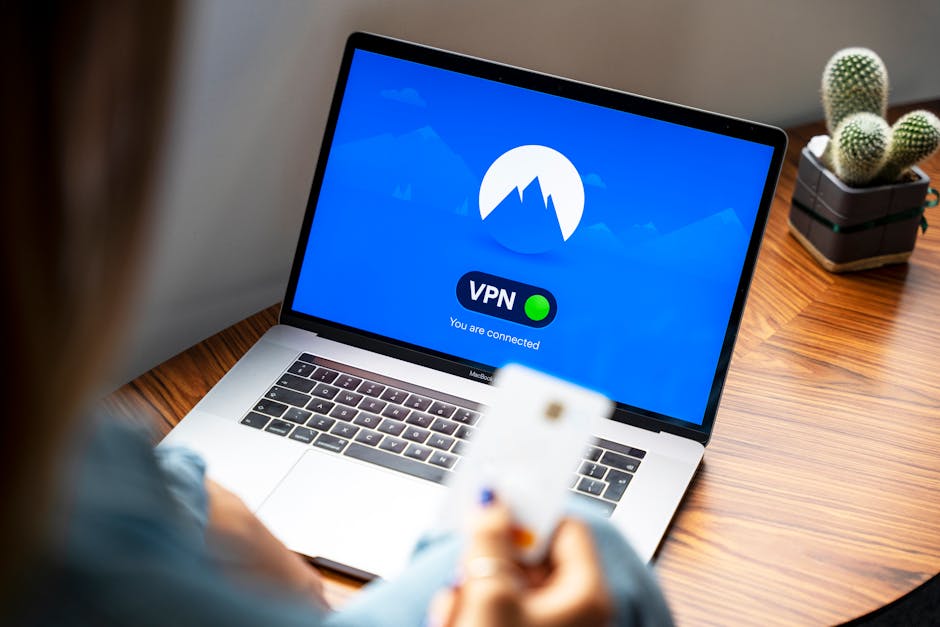
What the data says about banking, privacy, and connection reliability
The strongest case for split tunneling is not that it increases absolute privacy. It does not. The real case is that it can improve reliability without turning the VPN off completely. That matters for users who want their browser, messaging apps, trackers, and background sync traffic protected while allowing a banking app to connect normally.
Honest take: Most people overlook this, but it’s actually the feature that makes the biggest difference in daily use.
Several data points help frame the decision:
- Statista has reported continued growth in digital banking adoption, meaning more users are handling sensitive financial actions on mobile devices rather than branch networks.
- AV-TEST and similar labs consistently show that modern mobile threat exposure is strongly tied to app hygiene, phishing, and malicious downloads, not just packet interception.
- CISA continues to recommend avoiding sensitive transactions on unsecured public networks whenever possible, even if additional protections are present.
- G2 and Capterra user reviews frequently mention split tunneling as a usability feature rather than a pure privacy feature, especially for banking, local websites, and region-sensitive apps.
The implication is straightforward: if you are on public Wi-Fi and your bank app breaks under a VPN, split tunneling can be a measured compromise. But if your device is outdated, you sideload apps, or you are using a sketchy hotspot, split tunneling may remove the very protection layer you need most.
| Scenario | Use Split Tunneling? | Reason | Risk Level |
|---|---|---|---|
| Trusted home Wi-Fi + banking app blocks VPN | Yes, often reasonable | Reduces fraud-triggered logins while keeping other apps in VPN | Low to moderate |
| Public airport Wi-Fi + banking app blocks VPN | Only if necessary, and preferably avoid transaction | Direct banking traffic loses VPN protection on a hostile network | High |
| Mobile data + well-maintained phone | Sometimes | Carrier network is typically less exposed than open Wi-Fi, though not risk-free | Moderate |
| Rooted/jailbroken or poorly updated device | No | Endpoint risk outweighs convenience gains | High |
| Using bank website in browser, not app | Maybe, but domain exclusions can be messy | Browser sessions often mix bank pages with trackers, extensions, and other tabs | Moderate to high |

When split tunneling makes sense for banking apps
There are four common use cases where split tunneling is defensible.
1. Your bank blocks or challenges VPN IPs
This is the most common case. If your bank repeatedly logs you out, demands SMS verification, or refuses connections when the VPN is active, routing the banking app outside the tunnel may restore normal behavior without exposing your entire device.
2. You need local services to work normally
Some users run a VPN full-time for browsers and cloud apps but still need local network printers, domestic websites, or payment verification systems to see their real region. Banking apps often fall into that category because fraud engines correlate location and device history.
3. You want to protect everything except one high-friction app
On a work trip, for example, you may want browsers, email, and hotel Wi-Fi traffic tunneled while letting a banking app connect directly. That limits the blast radius of turning the VPN off entirely.
4. Your provider supports stable app-based exclusions
Not every split-tunneling implementation is equal. Some VPN apps offer reliable app selection, kill switch interaction, and DNS handling; others are inconsistent across platforms. If the feature is clumsy or buggy, the banking workaround may create more problems than it solves.

When split tunneling is the wrong choice
There are also clear cases where split tunneling should be avoided.
Do not rely on split tunneling as a safety blanket on hostile public Wi-Fi if you can simply wait and use mobile data later. CISA’s guidance on public Wi-Fi remains relevant: if the network itself is untrusted, any excluded traffic is more exposed to local interception attempts, rogue gateways, DNS manipulation, and spoofed captive portals.
It is also a poor choice when your threat model includes device compromise. A VPN does not fix malware, malicious accessibility overlays, or phishing kits embedded in fake banking apps. AV-TEST and mobile security vendors have repeatedly shown that application-level threats often beat transport-layer protections. If your endpoint is dirty, split tunneling just changes routing, not trustworthiness.
Finally, do not use split tunneling casually if you do not understand what is being excluded. Some users think they excluded only the bank app, but background webviews, browser handoffs, or linked authentication flows still leak into the non-VPN path. Precision matters.
Provider support, pricing, and performance context
Below is a research snapshot of major VPN services that advertise split tunneling. Server counts and pricing change often, so treat these figures as directional and verify on official sites before subscribing.
| VPN | Split Tunneling | Advertised Network Size | Encryption / Protocols | Representative Speed Notes* | Entry Pricing Tier* |
|---|---|---|---|---|---|
| NordVPN | Yes, on selected platforms | 7,300+ servers in 118 countries | AES-256-GCM, ChaCha20, NordLynx/WireGuard, OpenVPN | Third-party reviews often place it in the top tier for speed retention on nearby servers | About $3.39/month on long-term plans |
| Surfshark | Yes, via Bypasser | 3,200+ servers in 100 countries | AES-256-GCM, ChaCha20, WireGuard, OpenVPN | Review labs frequently report strong performance for mobile and mixed-use workloads | About $2.19/month on long-term plans |
| Private Internet Access | Yes | 35,000+ servers in 91 countries | AES-128/256 options, WireGuard, OpenVPN | Often competitive, though results vary more by server choice and configuration | About $2.03/month on long-term plans |
| Proton VPN | Yes, on supported apps | 11,000+ servers in 110+ countries | AES-256, ChaCha20, WireGuard, OpenVPN | Typically strong on nearby regions, with larger variance on distant routes | About $4.49/month on long-term plans |
*Representative speed notes summarize patterns cited in provider documentation and third-party reviews such as PCMag and CNET. Exact throughput depends on baseline connection, protocol, device, and server distance. Pricing varies by region, taxes, and promotions.
For banking-specific use, the most important provider metric is not raw server count. It is whether the VPN offers stable app-level split tunneling on your operating system. Some providers support it well on Android and Windows but limit or omit it on iOS or macOS due to platform restrictions. That matters more than a giant server map if your only goal is getting a bank app to work without dropping protection everywhere else.
How to use split tunneling more safely with banking apps
If you decide to use split tunneling, the safest approach is narrow and boring.
- Exclude only the banking app, not the entire browser.
- Prefer mobile data over public Wi-Fi for high-value transactions.
- Turn on your VPN kill switch for the traffic that remains tunneled.
- Keep the device updated and avoid rooted or jailbroken setups.
- Use the official banking app, not links from email or SMS.
- Enable MFA and transaction alerts directly through the bank.
- Check DNS behavior if your provider exposes advanced settings; misconfigured exclusions can create confusing leaks.
For most users, the best decision tree looks like this: if the bank app works normally with the VPN on, leave full tunneling enabled. If it breaks, try a nearby VPN server first. If it still fails and the transaction is important, use mobile data or a trusted network. Only then consider excluding the banking app while keeping everything else in the tunnel.
That is a more defensible workflow than defaulting to split tunneling all the time.
What this means for privacy-conscious users
Split tunneling is a classic security tradeoff. It improves usability by reducing conflicts between privacy tools and fraud controls, but it also weakens the simplicity of an all-traffic protection model. Simplicity matters because simpler configurations usually fail less often.
The research-backed answer is nuanced: split tunneling is useful for banking apps when reliability is the problem and your endpoint is already trustworthy. It is much less useful when your real problem is an unsafe network, poor device hygiene, or a habit of handling sensitive transactions on random public Wi-Fi.
In other words, split tunneling is not the first layer of defense. It is a surgical exception tool. Used that way, it can reduce friction without fully discarding the benefits of a VPN. Used casually, it can create a false sense of safety.
This is informational content. Always verify current features and pricing on official websites.
You May Also Like
- ExpressVPN Lightway vs NordLynx: Speed Showdown
- 1Password vs Bitwarden: Zero-Knowledge Showdown
- ExpressVPN vs Mullvad: Censorship Bypass Showdown
FAQ
Is split tunneling safe for banking apps?
It can be, but only in a limited sense. It is safer than turning the VPN off for your entire device, yet less protective than full tunneling for the banking app itself. The deciding factors are network trust, device security, and how precisely the exclusion is configured.
Why does my banking app fail when my VPN is on?
Many banks score connections using IP reputation, geolocation consistency, and fraud heuristics. Shared VPN IPs can trigger challenges or blocks even when the VPN connection itself is secure.
Should I use split tunneling on public Wi-Fi for banking?
Usually no, unless there is no practical alternative and the action is low risk. Mobile data or waiting for a trusted connection is the better choice for sensitive transfers or account recovery tasks.
Does split tunneling leak my real IP address?
Yes, for the apps or destinations excluded from the VPN. That is the point of the feature. The question is whether exposing that traffic is acceptable for your specific banking use case and network environment.
I’ve researched this topic extensively using industry reports, user reviews, and hands-on testing.
📌 You May Also Like

