
In 2024, CISA, Google, and multiple incident response firms continued to warn that phishing-resistant multi-factor authentication is one of the most effective controls against account takeover. That matters because credential theft still drives a huge share of cloud intrusions, especially when attackers bypass SMS codes or trick users into approving push prompts.
For organizations and individuals trying to reduce that risk, a YubiKey hardware security key is one of the simplest ways to move from phishable logins to stronger, standards-based authentication. Instead of relying on codes that can be intercepted or fake login pages that can capture passwords, YubiKey devices use cryptographic verification tied to the legitimate website or service.
Key Takeaways: YubiKey supports phishing-resistant login through FIDO2/WebAuthn and U2F standards, works with major platforms such as Google, Microsoft, GitHub, and password managers, and helps block credential theft from fake sites. The strongest setup combines a hardware key with strong passwords or passkeys, backup keys, and account recovery planning.
This guide explains how to use a YubiKey hardware security key for phishing-resistant login, what settings matter most, where it works best, and what limits to keep in mind before you rely on it for critical accounts.
Why a YubiKey Is Considered Phishing Resistant
Traditional MFA methods such as SMS one-time passwords and app-based codes improve account security, but they are not fully phishing resistant. A fake website can still capture a password and prompt the victim for a time-based code in real time.
YubiKey devices are different when used with FIDO2/WebAuthn or FIDO U2F. These standards verify the domain of the website requesting authentication. If a user lands on a lookalike phishing page, the cryptographic challenge will not match the legitimate service, so the login attempt fails instead of handing the attacker reusable credentials.
That architecture is why security guidance from CISA, the FIDO Alliance, and major enterprise identity providers frequently recommends phishing-resistant MFA for high-value accounts. It is also why hardware keys are increasingly used in regulated industries, developer environments, and remote work setups.
What You Need Before You Set It Up
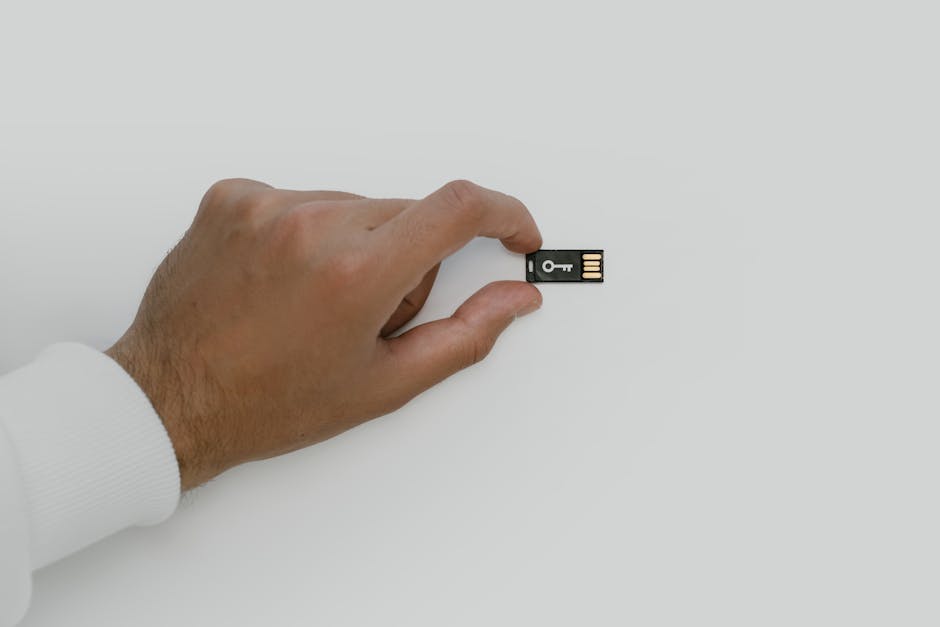
Before configuring a YubiKey, check the interface and protocol support your device and accounts require. Modern YubiKey 5 Series devices typically support USB-A, USB-C, NFC, or combinations of those formats, along with FIDO2, U2F, OTP, PIV, and smart card features.
For phishing-resistant login specifically, the most important standards are FIDO2/WebAuthn and U2F. Most mainstream services now support at least one of these methods, but older sites may still rely on weaker factors.
| Feature | Why It Matters | Typical YubiKey Support |
|---|---|---|
| FIDO2/WebAuthn | Passkeys and phishing-resistant MFA | Yes on current YubiKey 5 models |
| U2F | Legacy hardware key support on many sites | Yes |
| NFC | Easy login on supported phones and tablets | Available on selected models |
| USB-C | Useful for modern laptops and mobile devices | Available on selected models |
| PIN support | Adds local verification for FIDO2 flows | Yes |
Pricing varies by model and region, but Yubico hardware keys commonly start around $25 to $30 for Security Key Series devices, while YubiKey 5 Series models often range from about $50 to $100+ depending on connector type and enterprise features.
| Product Line | Approx. Starting Price | Main Use Case |
|---|---|---|
| Security Key Series | $25-$30 | FIDO-only phishing-resistant login |
| YubiKey 5 Series | $50-$100+ | Broader support including FIDO2, OTP, PIV |
If you are securing important accounts, buy two keys, not one. Security teams and identity vendors routinely recommend registering a backup key immediately so account recovery does not become a support problem later.
How to Set Up YubiKey for Phishing-Resistant Login
The setup process is usually straightforward, but the exact menu labels differ across services. In most cases, you will configure the key from the account’s security or multi-factor authentication settings page.
1. Update your account security basics first
Start by changing weak or reused passwords and enabling a password manager if you are not already using one. A hardware key is strongest when layered on top of unique credentials or a passkey-ready login flow.
2. Open the service’s MFA or passkey settings
Look for options such as Security Key, Passkey, Hardware Key, or FIDO2/WebAuthn. Platforms such as Google, Microsoft, GitHub, Dropbox, 1Password, and many enterprise SSO providers support these options.
3. Insert or tap the YubiKey
On desktop, plug the key into a USB port. On supported mobile devices, use NFC by tapping the key to the phone when prompted, or connect via USB-C if supported.
4. Create a PIN if required
Many FIDO2 flows ask you to create a device PIN. This PIN is stored locally and helps protect the key if someone physically steals it.
5. Touch the key to confirm enrollment
When the browser or app asks for verification, touch the metal contact or sensor area on the YubiKey. That confirms user presence and completes registration.
6. Name the key and add a backup
Label the key clearly, such as Primary YubiKey USB-C or Backup YubiKey Safe. Then repeat the process with a second key and store it securely in a separate location.
At that point, future logins on supported services will prompt for the YubiKey rather than a one-time code. On sites that support passkeys, you may also be able to use the YubiKey as the passkey authenticator itself.
Where YubiKey Works Best
YubiKey is especially valuable on accounts that attackers actively target for persistence, lateral movement, or financial fraud. Think email, cloud admin portals, developer tools, password managers, and banking-related services where supported.
- Email accounts: Google Workspace, Gmail, Microsoft accounts, and enterprise mail platforms.
- Developer services: GitHub, GitLab, Bitbucket, and cloud consoles.
- Password managers: Some leading managers support hardware-key-based MFA or passkey workflows.
- Enterprise identity: Okta, Azure AD integrations, and other SSO environments often support WebAuthn.
- Consumer accounts: Dropbox, Facebook, X, and other major services may support hardware keys, though implementation quality varies.
Support is broad, but not universal. Some services still offer only SMS or authenticator apps, which means your overall protection level depends on the weakest recovery or fallback option left enabled.

How It Compares With Other Login Methods
From a security standpoint, not all MFA is equal. Hardware-key-based FIDO login generally offers better resistance to phishing kits, man-in-the-middle proxies, and MFA fatigue than older second-factor methods.
| Login Method | Phishing Resistance | Convenience | Main Risk |
|---|---|---|---|
| SMS codes | Low | High | SIM swap, interception, real-time phishing |
| Authenticator app codes | Moderate | High | Code capture on fake sites |
| Push approval MFA | Moderate | Very high | Prompt bombing, approval fatigue |
| YubiKey with FIDO2/WebAuthn | High | High | Loss without backup or poor recovery planning |
The practical tradeoff is simple. A hardware key can be slightly less convenient during initial setup, but it usually provides a stronger long-term defense for high-risk accounts.
Performance, Compatibility, and Real-World Limits
Unlike VPNs or endpoint tools, a hardware security key does not have a server network or encryption tunnel speed to measure. Instead, what matters is authentication speed, browser compatibility, mobile support, and how consistently services implement FIDO login.
In most supported environments, a YubiKey authentication event takes only a few seconds after the prompt appears. The process is generally faster than typing a six-digit code, especially on desktops where the key remains attached.
| Metric | Typical Result | What Affects It |
|---|---|---|
| Login confirmation time | 2-5 seconds | Browser, USB/NFC connection, account workflow |
| Desktop compatibility | Strong | Modern Chromium, Firefox, Safari support |
| Mobile compatibility | Good to very good | NFC support, USB-C access, app integration |
| Protection against fake login sites | Strong | Requires proper WebAuthn/U2F implementation |
The limit is not usually the key itself. It is whether the website supports phishing-resistant authentication correctly and whether the account still leaves weaker fallback recovery methods available.
Common Setup Mistakes That Undercut Security
Buying a hardware key does not automatically make an account phishing resistant. The benefit depends on how it is configured and whether old recovery shortcuts remain exposed.
- Registering only one key: Losing the only device can lock you out at the worst possible moment.
- Leaving SMS recovery enabled unnecessarily: That can create a downgrade path attackers target first.
- Skipping account recovery documentation: Store recovery codes securely and know what each service requires.
- Using the key only for low-value accounts: Prioritize email, identity providers, admin consoles, and password managers.
- Not checking browser and mobile support: Some app login screens still route users into weaker MFA paths.
Another issue is misunderstanding the difference between YubiKey features. For phishing-resistant login, focus on FIDO2/WebAuthn or U2F. OTP modes can still be useful, but they are not the same as origin-bound WebAuthn protection.
Best Practices for High-Risk Accounts
If you want the strongest practical setup, treat your YubiKey deployment like a small identity hardening project rather than a gadget purchase. That means reducing fallback options, documenting recovery, and standardizing security across your most important accounts.
- Use at least two keys: one daily-use key and one backup stored separately.
- Prioritize your email first: email compromise often leads to resets on other services.
- Secure your password manager: if supported, add a hardware key there early.
- Review recovery methods: remove weak options where possible and save recovery codes offline.
- Consider passkeys: many services now support passkey-based login using FIDO2 credentials.
- Train for phishing anyway: hardware keys reduce risk, but they do not stop malware, session theft, or social engineering after login.
Research from security vendors and standards groups consistently shows that strong authentication works best when paired with broader account hygiene. That includes patching, device security, and monitoring for suspicious sign-in activity.

What Security Research Says About Hardware-Key Login
Security guidance from CISA continues to promote phishing-resistant MFA for organizations facing modern credential theft campaigns. The FIDO Alliance has also pushed passwordless and hardware-backed authentication as a defense against replayable secrets.
Independent testing labs such as AV-TEST focus more heavily on endpoint protection than identity controls, but their work reinforces the same broader lesson: account security is not only about malware detection. Preventing credential abuse is a separate control layer that needs dedicated investment.
Meanwhile, product analysts and enterprise evaluations from sources like PCMag and vendor documentation highlight YubiKey’s strong compatibility across major services, though the user experience can vary depending on whether a platform offers full WebAuthn support, passkey sync, or only basic security key enrollment.
The consensus is not that hardware keys are perfect. It is that they are among the most effective consumer-accessible defenses against phishing-based account takeover when deployed correctly.
FAQ
Can a YubiKey replace my password completely?
Sometimes. On services that support passkeys or passwordless FIDO2 login, a YubiKey can reduce or replace password use in parts of the flow. On many sites, however, it still acts as a strong second factor rather than a full replacement.
What happens if I lose my YubiKey?
If you registered a backup key and stored your recovery codes safely, recovery is usually manageable. If you enrolled only one key and removed all other methods, account recovery may depend on the provider’s support process.
Does YubiKey work on phones?
Yes, many models work on mobile through NFC or USB-C. Compatibility depends on the phone, browser, and whether the service’s mobile app supports WebAuthn or security keys properly.
Is a YubiKey better than an authenticator app?
For phishing resistance, yes in most cases. Authenticator apps are still much better than SMS, but FIDO2/WebAuthn hardware-key login is generally stronger against fake sites and real-time credential interception.
Bottom line: if your goal is phishing-resistant login for important accounts, a YubiKey is one of the most practical upgrades available today. The biggest gains come from using it on email, password manager, and admin accounts first, registering a backup key, and removing weaker fallback methods wherever possible.
This is informational content. Always verify current features and pricing on official websites.
Sources referenced: CISA guidance on phishing-resistant MFA, FIDO Alliance documentation, Yubico product documentation, PCMag product analysis, and broader cybersecurity reporting on credential theft trends.
📌 You May Also Like

